
Trading Interface
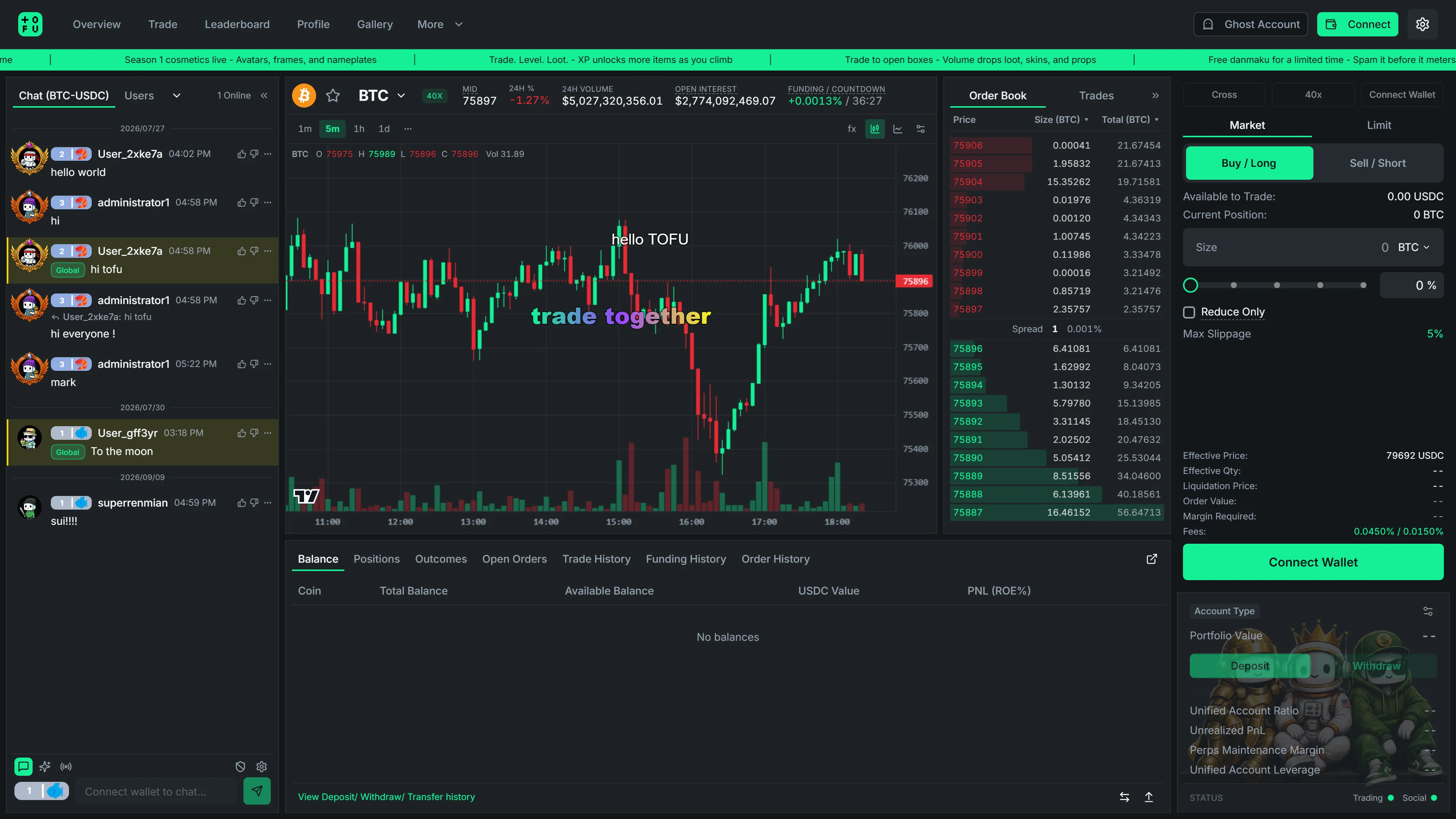
One screen. Chart, order book, chat, danmaku, and your positions — all live, all at once.
The chart
Section titled “The chart”- Professional candlestick charts with multiple intervals (1m → 1D), powered by TradingView’s charting engine.
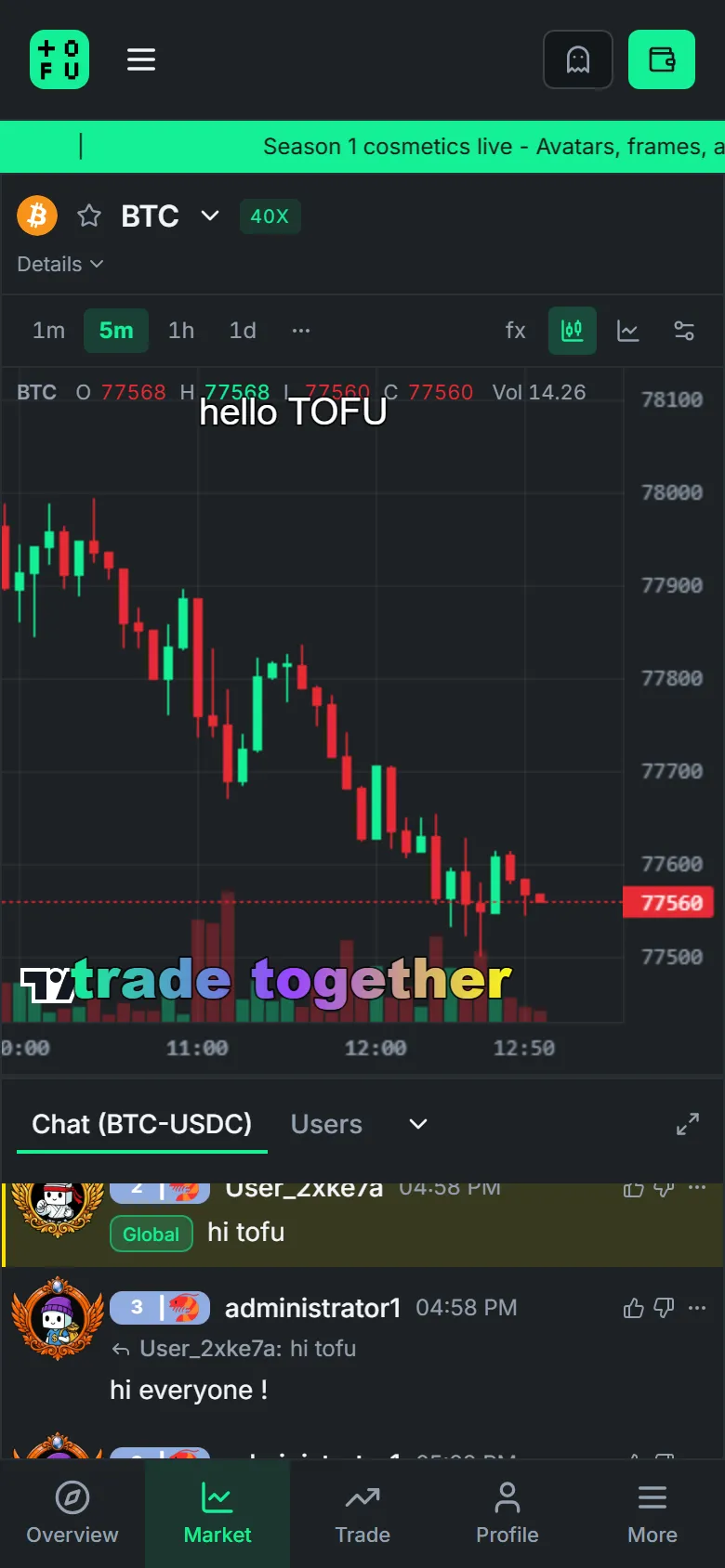
- Live danmaku overlay — community comments fly across the chart without ever blocking your interactions. Toggle it off any time you need pure focus.
- Real-time price, 24h change, volume, and funding stats in the banner above the chart.
Order book & trades
Section titled “Order book & trades”- Live order book with depth, grouped price levels, and one-click price fill (tap a level to load it into your order form).
- Recent trades stream in real time.
The order form
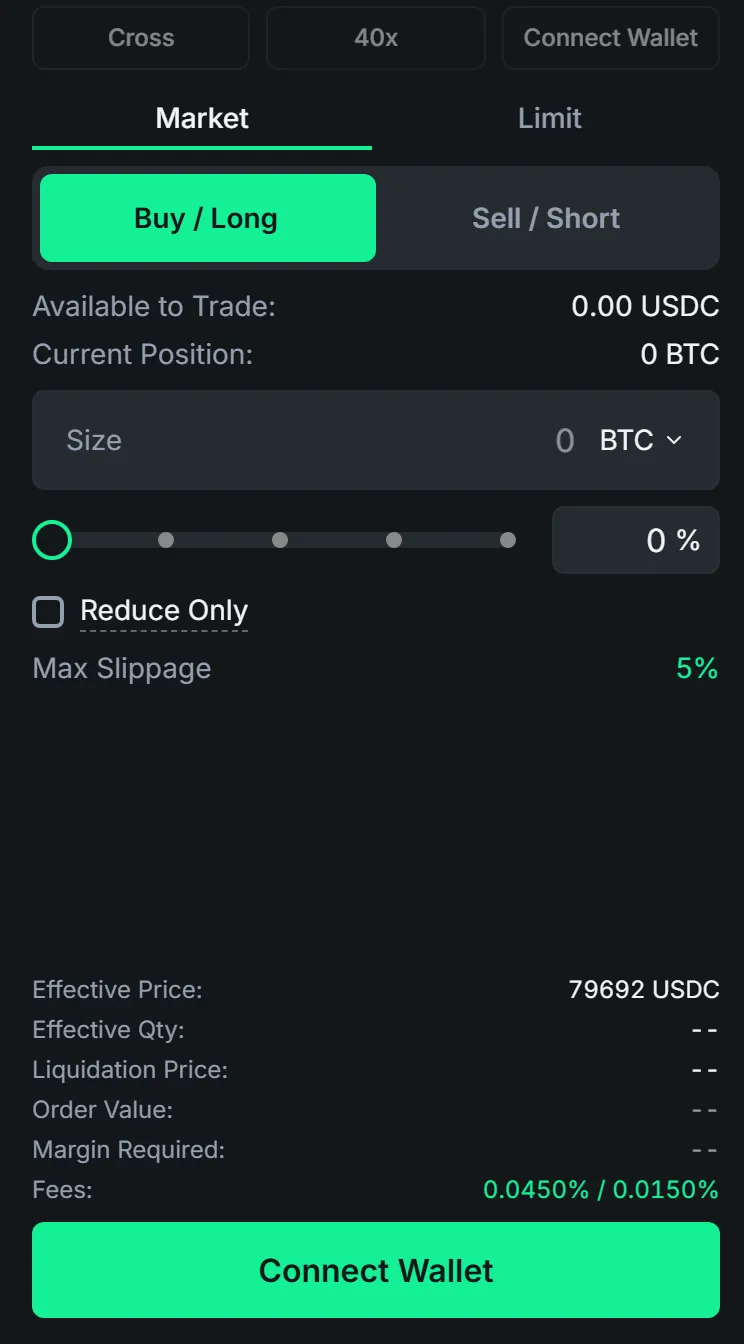
Section titled “The order form”- Market & Limit orders with slippage protection built in.
- Size presets and a percentage slider — go from idea to filled in two taps.
- For perps: leverage control, margin mode, and liquidation price shown before you commit.
- HYPE (buy/long) is green. DUMP (sell/short) is red. You will not mix them up.
Positions & orders
Section titled “Positions & orders”Below the chart, your live account state:
- Positions — entry, mark, PnL, liquidation price, one-click close.
- Open Orders — live limit orders with one-click cancel.
- Fills, Funding & Order History — every event, timestamped and exportable to your portfolio view.
Mobile
Section titled “Mobile”The entire interface is mobile-first: swipe between the market view and trade view, with the same chart, chat, and danmaku experience in your pocket.
No complex charts. Just vibes — with professional execution underneath.